

Editorial notes
The editorial work is the same as on other TYPO3 websites. This topic page therefore only highlights the main features.
Own logo
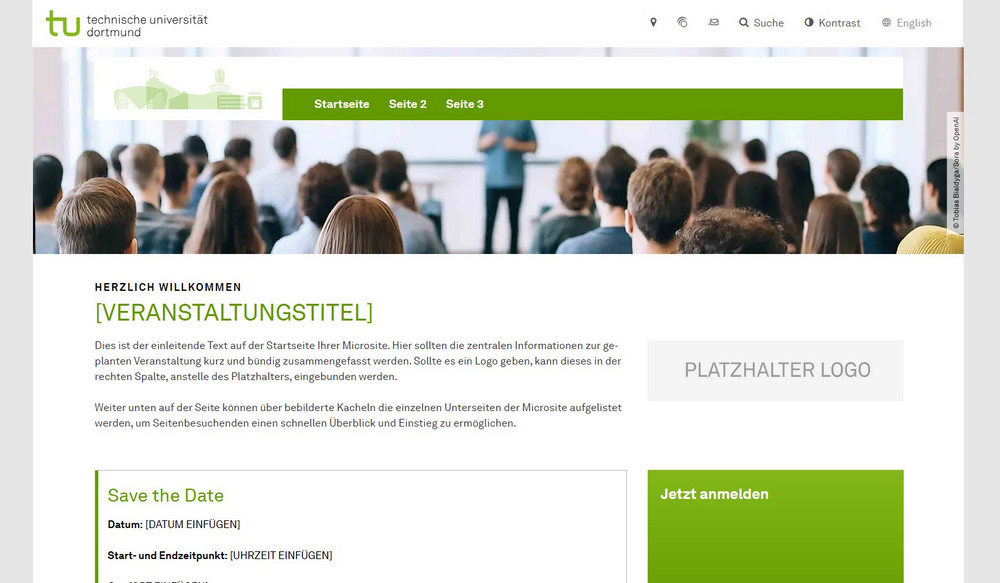
It is not possible to embed your own event logo in the navigation bar. If there is a logo, it can be embedded elsewhere on the start page of your event.
When creating new event websites, we supply a template for a suitable start page structure, which also provides for the integration of a logo.
Side tree
The entry point of the event websites has an icon that differs from the normal TYPO3 appearances. Below the entry point, you can create pages as usual.
Home page template
New event websites are always delivered with a template for the start page. You can use this template as a guide or create your own start page. This is entirely up to you.
Note: If you create subpages below the "Start" page in the page tree, the submenu will be displayed on the left-hand side of the start page. With the currently set backend layout, this leads to an unstable page layout. In this case, the backend layout of the start page must be adjusted. You can find more information on customizing the backend layout on our documentation portal.
Mandatory legal pages
As with normal TYPO3 websites, the legally required mandatory pages must also be filled in for event websites:
- Imprint
- Privacy policy
- Declaration of accessibility
Further links
TYPO3 documentation portal
A general overview of editorial work with the TU Dortmund University TYPO3 installation can be found on our documentation portal.
TYPO3 training courses
The ITMC web team offers regular training courses in TYPO3. You can find an overview of the training formats on our documentation portal.